How long does biometric access control installation take?
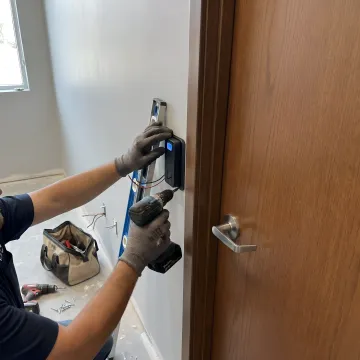
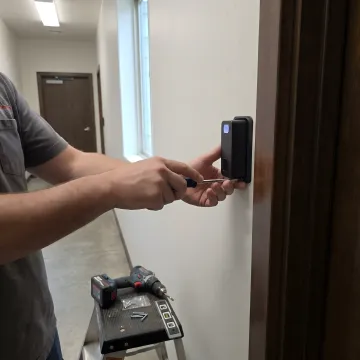
Installation timelines vary based on facility size and complexity. A single-door installation with our ePortPass system typically takes 2-4 hours, including reader mounting, controller integration, and system testing. Multi-point installations for larger facilities are completed in phases to minimize operational disruption. Our units attach quickly to doors, turnstiles, gates, and vehicle gates, and we interface with existing access control systems via standard Wiegand or OSDP protocols. Most clients are operational within 1-2 business days after installation, with employee enrollment completed in minutes per user.
Will biometric access control work with our existing security system?
Yes. Our biometric readers integrate seamlessly with existing access control infrastructure through industry-standard Wiegand or OSDP protocols. We can power your current electric strikes, mag-locks, turnstile controllers, or gate systems without requiring a complete security system replacement. For facilities with legacy systems, we provide stand-alone capability or can bridge to your current controllers. Our installation team assesses your existing infrastructure during the consultation phase and designs integration that preserves your investment while upgrading authentication security to eliminate credential sharing and tailgating.
What makes palm vein biometric technology more secure than card access?
Palm vein scanning verifies identity from 5 million unique data points within your vein pattern—a biometric signature shared by no one else, not even identical twins. Cards can be lost, shared, stolen, or duplicated. Palm vein patterns cannot. Our technology checks for liveness during verification, preventing spoofing attempts with photos or replicas. Accuracy reaches 99.99991% with verification in under 2 seconds. The contactless scan requires no physical contact, improving hygiene. Because the biometric credential is literally part of the person, it eliminates buddy punching, tailgating, and all credential-sharing vulnerabilities that plague card-based systems.
How much does biometric access control installation cost?
Investment varies based on the number of access points, integration complexity, and required features like TWIC validation or multi-location networking. Single-point installations start around $3,000-$5,000 including hardware and professional installation. Enterprise deployments with multiple readers, cloud management, and payroll integration are quoted based on scope. Most clients see ROI within 3-6 months through elimination of time theft, reduced credential replacement costs, improved compliance, and decreased security incidents. We offer pricing models that treat the system as an operating expense rather than capital investment, making it accessible for facilities of all sizes.
Can biometric access control be used for both physical and data access?
Absolutely. Our DAM (Data Access Management) solution uses the same palm vein biometric to provide secure single sign-on for data systems, applications, and network access. Employees scan once to access both physical facilities and digital resources. The system stores multiple complex passwords within the user's biometric pattern, eliminating password fatigue and security risks from weak or reused passwords. This unified approach creates comprehensive audit trails showing when users accessed both physical spaces and digital systems, streamlining compliance reporting for HIPAA, SOC 2, or critical infrastructure regulations.
What happens if the biometric system goes offline or loses power?
Our systems are designed with redundancy for mission-critical applications. Most installations include uninterruptible power supplies (UPS) to maintain operation during power interruptions. The readers store enrolled user templates locally, so authentication continues even if network connectivity to central management is lost. For facilities requiring fail-safe or fail-secure modes, we configure the system accordingly during installation—doors can default to locked or unlocked states based on your security protocols. Battery backup options provide continued operation during extended outages, and system status monitoring alerts administrators to any connectivity or power issues in real time.
How do you handle employee enrollment after installation?
Enrollment is fast and simple. Each employee scans their palm 2-3 times, taking about 30 seconds total. The system captures their unique vein pattern and associates it with their credentials in the access control database. For small facilities, we complete enrollment during installation. Larger deployments use phased enrollment to minimize workflow disruption. Administrators can manage enrollments through our intuitive interface, adding or removing users, setting time-bound access for contractors, and assigning location-specific permissions. Once enrolled, users are immediately active across all integrated access points and data systems, with no cards to distribute or PINs to remember.
What maintenance or ongoing support is required after installation?
Palm vein biometric systems require minimal maintenance. The contactless readers have no moving parts or surfaces that wear from repeated use. We recommend periodic cleaning of the reader window (similar to wiping a smartphone screen) and quarterly system health checks to verify network connectivity and database integrity. Software updates are pushed remotely and applied during off-hours to avoid disruption. Our support includes real-time system monitoring, automatic alerts for denied access attempts or unusual patterns, and technical assistance via phone or remote access. Most clients operate for years with only routine software updates and occasional database backups as required maintenance.